Host
Linux x86-64 with systemd, GNU tar, curl, sha256sum, and standard system administration tools. The packaged system install uses sudo when needed.

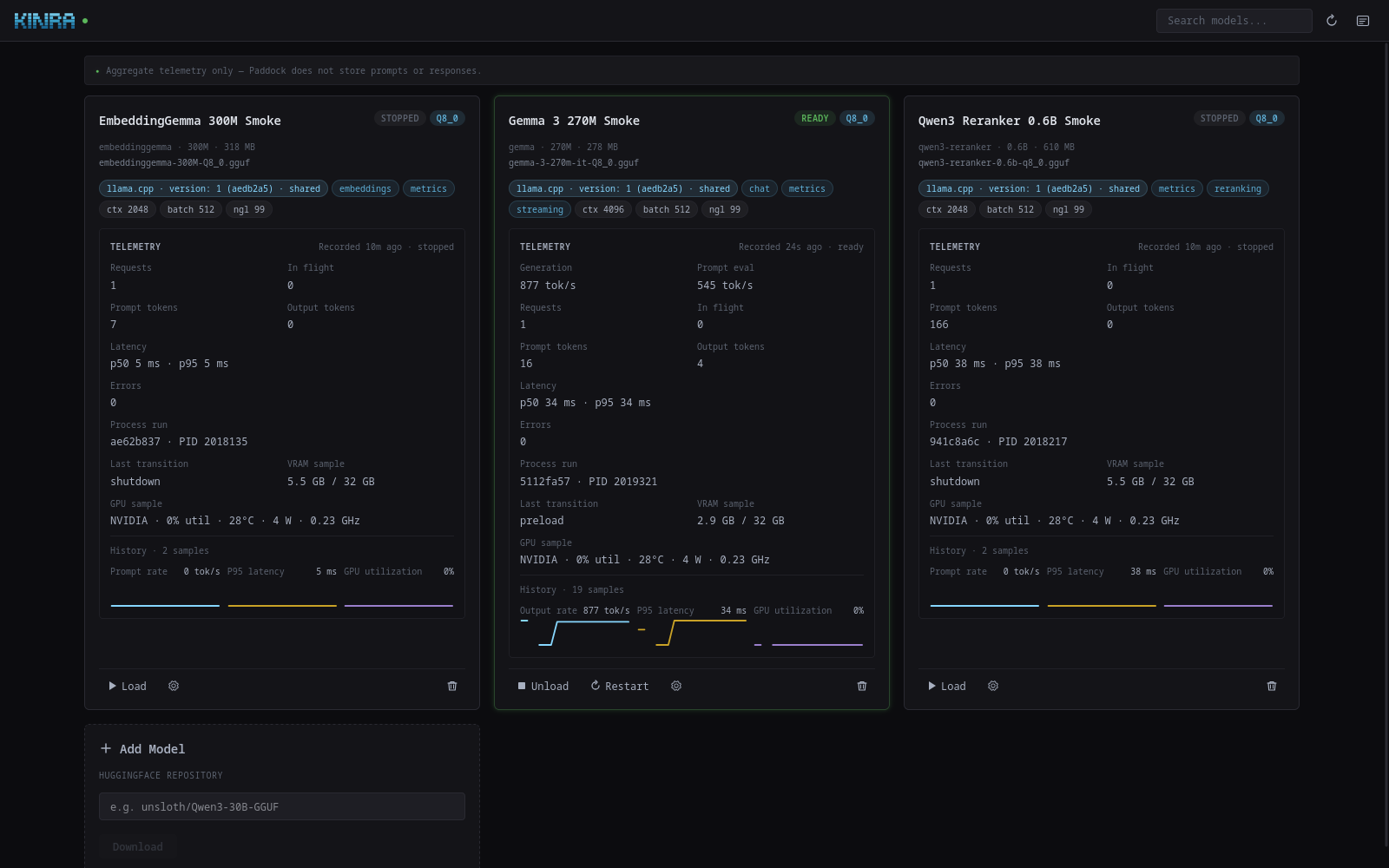
A local-first operator for llama.cpp: build the runtime for this host, manage GGUF models and their process lifecycle, and serve a consistent OpenAI-compatible API with a live dashboard.
The bootstrap reads one release manifest snapshot, validates its Linux-amd64 paths and hashes, downloads the immutable archive, verifies SHA-256 before extraction, and hands control to the installer packaged inside that archive.
bash <(curl -fsSL https://get.kinra.ai/paddock/install.sh)bash <(curl -fsSL https://get.kinra.ai/paddock/install.sh) --checkThis first public channel is a Linux x86-64 alpha, not a broad hardware certification. Binary availability, a managed-runtime path, and real-host model evidence are separate claims.
Linux x86-64 with systemd, GNU tar, curl, sha256sum, and standard system administration tools. The packaged system install uses sudo when needed.
Git, CMake, a C/C++ compiler, and the dependencies for the selected CPU or GPU backend. Managed llama.cpp builds are host-specific and should not be copied between unlike machines.
NVIDIA CUDA has the current real-host evidence for the alpha. CPU, AMD ROCm/HIP, AMD Vulkan, arm64, and vLLM paths remain experimental or unevidenced.
The system archive installs an unprivileged paddock account and preserves configuration on upgrades. Build and pull as that account, then let systemd own the long-running process.
sudo -u paddock PADDOCK_ROOT=/var/lib/paddock /usr/local/bin/paddock buildsudo -u paddock PADDOCK_ROOT=/var/lib/paddock /usr/local/bin/paddock pull unsloth/Qwen3-30B-GGUF:Q4_K_Msudo systemctl enable --now paddock.service
sudo systemctl status paddock.servicehttp://127.0.0.1:5467/v1.127.0.0.1. A non-loopback bind is an explicit exposure decision: there is no supported application-authentication boundary. Use an authenticated SSH tunnel or a deliberately configured trusted reverse proxy instead of exposing port 5467 directly.
The release archive contains the deeper install, operations, support, security, compatibility, and release documentation. This page keeps the first-install lifecycle usable without repository access.
sudo journalctl -u paddock.service -f
sudo -u paddock PADDOCK_ROOT=/var/lib/paddock /usr/local/bin/paddock logs --followBack up /var/lib/paddock and /etc/paddock together: YAML, SQLite state, model files, and the managed runtime form one operator-state boundary.
paddock update as a separate, reviewed llama.cpp change and preserve the old managed runtime when rollback matters.sudo /usr/local/share/paddock/uninstall.shThis removes the installed program and service integration while preserving configuration and service data for reinstall or recovery.
sudo /usr/local/share/paddock/uninstall.sh --purge--purge also deletes service state and configuration. It cannot be undone without a verified backup and refuses unsafe account-removal states.
The channel manifest points only at immutable same-origin paths. Its required v1 fields identify the product, alpha channel, semantic version, source commit, publish time, Linux-amd64 platform, and SHA-256 for every artifact.
Conservative alpha guidance is shown while live release metadata loads.
Integrity boundary: the bootstrap verifies the archive hash from its single manifest snapshot before extraction. The versioned checksum set, SPDX SBOM, build metadata, compatibility record, and bootstrap checksum make the release inspectable. Same-origin hashes detect corruption; they do not substitute for trusting the Kinra origin.
Paddock is pre-1.0 alpha software with best-effort support and no SLA. The repositories remain private, so these contact paths do not require source access.
Email support@kinra.ai with the Paddock version, Linux distribution, hardware/backend, managed llama.cpp revision, and the smallest reproducible failure. Redact tokens, prompts, private model data, and private repository names.
Email support@kinra.ai and request a private security channel. Do not send exploit details, credentials, or private model data through a public issue or discussion.